
If your website is not showing up on Google when potential customers search for your services, the problem is often not a lack of backlinks – it is what is happening on your own website. Getting your on-page SEO right is the single most important foundation for better rankings in 2026, and this checklist is designed to help Australian small businesses get it right.
Whether you are a tradie in Brisbane, an accountant in Southeast Queensland, or a retailer anywhere in Australia, this on-page SEO checklist gives you a clear, prioritized framework to identify gaps, fix problems, and make confident decisions about the next step – including whether you need professional support.
This is not a generic list of on page seo tips. Each section explains what an element is, why it matters, and exactly how to implement it – with real Brisbane-based examples throughout.
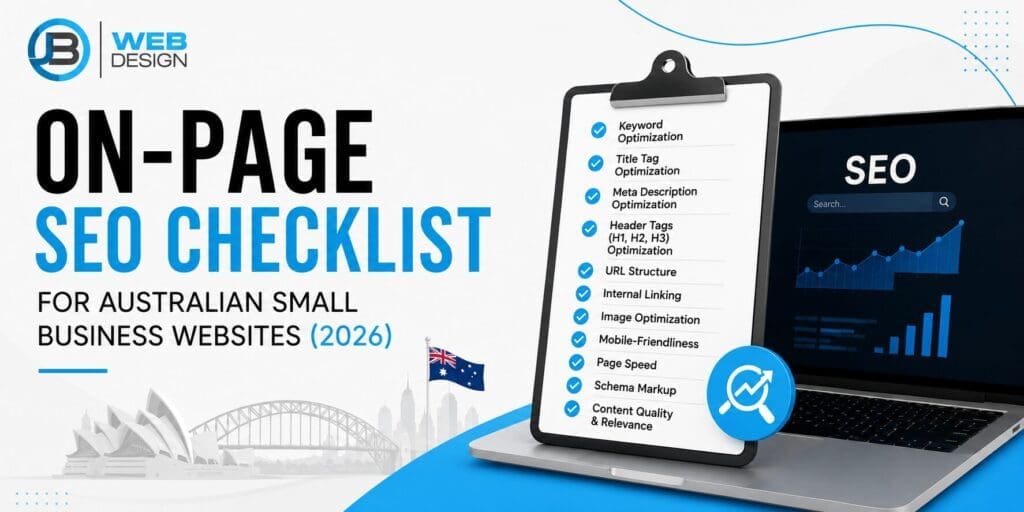
On-Page SEO Checklist at a Glance
Before diving in, here is a snapshot of every major task covered in this guide. Use this table as your quick-reference overview throughout the process.
| Task | Priority | Impact |
|---|---|---|
| Title Tags | High | High |
| Meta Descriptions | High | Medium |
| Core Web Vitals | High | High |
| Content & Heading Structure | High | High |
| Internal Linking | High | Medium |
| Image Optimisation | Medium | Medium |
| Schema Markup | Medium | Medium |
| Google Business Profile | High | High |
| NAP Consistency | High | High |
Why On-Page SEO Comes First Before Any Link-Building Strategy
What Is On-Page SEO?
On-page SEO refers to everything you control directly on your website – your page titles, content, headings, images, internal links, and technical setup. Off-page SEO, by contrast, refers to signals from outside your website, such as other websites linking back to yours.
Why Does It Come First?
Think of your website like a shop. Backlinks are like word-of-mouth referrals. Word-of-mouth recommendations may drive traffic, but without a user-friendly, well-optimized website, those visitors are far less likely to convert into customers. Google works the same way. Before investing in link-building or paid ads, your website needs solid foundations.
What Mistakes Do Australian Small Businesses Commonly Make?
After auditing hundreds of Australian small business websites, we consistently find the same issues coming up again and again. These are the most common on-page problems across Brisbane and South East Queensland:
- Duplicate title tags across multiple service pages, making it hard for Google to understand each page’s purpose
- Missing or vague meta descriptions that fail to attract clicks
- No clear heading structure, making content hard for both users and search engines to navigate
- Images that are not compressed, slowing down page load times
- No local keywords or suburb-specific content on service pages
- Without schema markup, your content is less likely to appear as rich results, limiting its visibility and click-through potential in search.
| SEO Element | Type | Priority | Impact |
|---|---|---|---|
| Title Tags | On-Page | High | High |
| Meta Descriptions | On-Page | High | Medium |
| Page Speed / Core Web Vitals | Technical | High | High |
| Content & Heading Structure | On-Page | High | High |
| Internal Links | On-Page | High | Medium |
| Schema Markup | Technical | Medium | Medium |
| Image Optimisation | On-Page | Medium | Medium |
| Google Business Profile | Local | High | High |
| NAP Consistency | Local | High | High |
| Backlinks | Off-Page | Medium | High |
Part 1 – Technical Foundations
Before you touch a single word of content, your website needs to pass some basic technical tests. Google uses these signals to decide whether your site is worth ranking at all.
Mobile-First Design
What It Is
Google now indexes and ranks websites based primarily on their mobile version – not the desktop version. This is called mobile-first indexing.
Why It Matters
Over 60% of searches in Australia happen on mobile devices. If your website is difficult to use on a phone – small text, buttons too close together, broken layouts – you will lose rankings and visitors.
How to Implement It
- Go to Google Search Console and check the Mobile Usability report for errors
- Use Google’s Mobile-Friendly Test to see how your site renders on a smartphone
- Ensure all buttons are at least 48px in height, text is readable without zooming, and there is no horizontal scrolling
Core Web Vitals
What Are Core Web Vitals?
Core Web Vitals are Google’s set of specific performance metrics that measure real-world user experience on your website. They are a confirmed Google ranking factor.
The three metrics are:
- LCP (Largest Contentful Paint): Measures how quickly the main content of a page loads. Target: under 2.5 seconds.
- CLS (Cumulative Layout Shift): Measures how stable your page layout is – does content jump around while loading? Target: under 0.1.
- INP (Interaction to Next Paint) measures how quickly a webpage responds to user actions, such as clicks, taps, or keyboard inputs, providing insight into the overall responsiveness of the user experience. Target: under 200ms.
Why It Matters
Poor Core Web Vitals scores can limit your website’s search visibility, making it more difficult to achieve and maintain strong rankings on Google. Many Brisbane small business websites score poorly on LCP simply because their images are too large and uncompressed.
How to Implement It
- Go to Google Search Console and open the Core Web Vitals report
- Use PageSpeed Insights (pagespeed.web.dev) to check scores for both mobile and desktop
- Address the top issues flagged – most commonly image size, render-blocking scripts, and slow server response times
Struggling with poor performance scores? Businesses that score poorly on Core Web Vitals often benefit from professional SEO services that address both technical and on-page issues at the same time. Talk to the JB Web Design team about a free SEO audit.
Clean URL Structure
What It Is
A clean URL is short, descriptive, and uses hyphens to separate words. It tells both users and search engines exactly what a page is about before they click.
Good examples:
- example.com.au/seo-services-brisbane
- example.com.au/emergency-plumber-brisbane-cbd
Bad examples:
- example.com.au/page?id=123
- example.com.au/services/category/item/7f8a2b
When creating new pages, keep URLs under 60 characters, use your target keyword, avoid dates and numbers unless necessary, and separate words with hyphens – never underscores.
Schema Markup
What Is Schema Markup?
Schema markup is structured code added to your website that helps Google understand what your content is about. It does not directly change how your page looks, but it can change how your listing appears in search results – with star ratings, FAQs, or business hours visible directly in Google.
Recommended Schema Stack for Australian Small Businesses
Most small businesses only add LocalBusiness schema and stop there. In our experience working with service businesses across Brisbane, implementing the full stack below significantly improves both search visibility and the chance of appearing in AI Overviews:
- Local Business Schema – tells Google your business name, address, phone, hours, and service area. Essential for local rankings.
- Service Schema – describes the specific services you offer, helping Google match your page to relevant searches.
- FAQ Schema – marks up your FAQ content so Google can display questions and answers directly in search results.
- Organisation Schema – provides a broader identity signal for your business, including logo and contact details.
- Breadcrumb Schema – helps Google understand your site structure and can produce cleaner, more informative search listings.
How to Implement It
Use Google’s Structured Data Markup Helper to generate the code, or use a plugin like Yoast SEO or Rank Math if you are on WordPress. After adding it, test it with Google’s Rich Results Test.
Key Takeaway
Your website’s technical foundations – mobile design, Core Web Vitals, clean URLs, and schema markup – are the starting point for on-page SEO. Google checks these signals before evaluating your content. Fix technical issues first, then focus on content. Use Google Search Console to identify and prioritise technical problems on your site.
Part 2 – Title Tags and Meta Descriptions
What Is a Title Tag?
A title tag is an HTML element that typically appears as the clickable headline in Google search results, helping users and search engines understand the topic of your page It is one of the most important on-page SEO elements because it tells Google – and the person searching – what your page is about.
Title tags appear in three places: search results, browser tabs, and social media shares. Getting them right improves both rankings and click-through rate.
Examples of good title tags:
- SEO Services Brisbane | JB Web Design
- Emergency Plumber Brisbane CBD | Available 24/7
- Electrician Capalaba | Licensed & Local
What Is the Best Title Tag Length?
50-60 characters. Keeping your title within the recommended length helps ensure it is displayed clearly, as longer titles may be truncated in Google search results. Keep it tight, include your primary keyword, and add a local signal where relevant.
What Is a Meta Description?
A meta description is the short paragraph beneath the title tag in search results. Although Google does not use it as a direct ranking factor, it has a strong influence on click-through rates, helping determine whether users choose your page or a competitor’s in the search results.
Example of a strong meta description:
- Looking for SEO services in Brisbane? Discover tailored SEO strategies designed to increase visibility and generate more enquiries for your local business.
How to Write a Meta Description That Gets Clicks
A strong meta description in 2026 should follow this process:
- Include your primary keyword naturally
- Match the actual content and intent of the page
- Add a clear benefit – what will the reader get?
- End with a call to action
- Keep it under 155 characters
Title Tag and Meta Description Checklist
| Element | Requirement | Common Mistake |
|---|---|---|
| Title Tag | 50-60 characters | Too long – gets cut off in search results |
| Title Tag | Include primary keyword | Generic titles like ‘Home’ or ‘Services’ |
| Title Tag | Include location or brand | No local signal for Brisbane or suburb |
| Meta Description | 145-155 characters | Too short or left blank (Google auto-generates) |
| Meta Description | Include a clear call to action | Reads like a sentence, not an invitation |
| Meta Description | Match page content and intent | Misleading – hurts click-through and rankings |
One issue that comes up frequently across Australian business websites is duplicate title tags – the same title used on multiple service pages. For example, a Brisbane plumbing company might have the same title on their ‘Blocked Drains’ page and their ‘Hot Water Systems’ page. This makes it genuinely difficult for Google to understand which page is most relevant for which search.
Key Takeaway
Every page on your website should have a unique title tag that includes the primary keyword and a local signal where relevant. Your meta description should read like an invitation – not a summary. Give people a reason to click. Duplicate title tags are one of the most common and damaging on-page issues on Australian small business websites.
Part 3 – Content Structure and Keyword Placement
Good content structure helps users navigate your page and helps Google understand what it is about. These goals work together naturally—when your content is structured clearly for readers, it also becomes easier for Google to understand, crawl, and evaluate.
One Primary Keyword Per Page
Each page on your website should target a single primary keyword – the one phrase you most want that page to rank for. Supporting that will be several closely related secondary keywords that naturally add context.
For example:
- Primary keyword: Emergency Plumber Brisbane CBD
- Secondary keywords: 24/7 plumber Brisbane, burst pipe repair Brisbane, blocked drain Brisbane CBD
Trying to target too many different keywords on a single page sends mixed signals to Google and reduces the chance of ranking well for any of them.
Using Secondary Keywords Naturally
Secondary keywords should appear naturally throughout your content – in subheadings, in the body text, in image alt text, and in your meta description. Never force them in. If a sentence feels awkward or difficult to follow, rewrite it to improve readability, clarity, and the overall user experience. Google’s algorithms are sophisticated enough to understand topic relevance without exact-match repetition.
To improve your on-page SEO for Australian businesses, it also helps to use natural semantic variations of your main keyword. Rather than repeating ‘on-page SEO checklist’ across every paragraph, consider phrases like ‘website SEO checklist Australia’, ‘local SEO checklist Australia’, or ‘SEO checklist for Australian businesses’ – all of which broaden your topical relevance without sounding forced.
Heading Structure (H1, H2, H3)
Your heading structure works like the table of contents for your page. Used correctly, it makes content easier to scan for users and easier to understand for Google.
- H1: One per page only. This should include your primary keyword and clearly state what the page is about.
- H2: Main sections of the page. These can include secondary keywords and location signals.
- H3: Subsections within an H2. Use these for detail, FAQs, and supporting points.
A common mistake on Brisbane small business websites is using heading tags for visual styling rather than content structure – for example, making a decorative tagline an H1 instead of the actual page topic.
What Is Keyword Cannibalisation and Should I Worry About It?
Keyword cannibalisation happens when two or more pages on your website target the same keyword. Instead of one strong page ranking well, Google gets confused about which page to show – and often neither ranks as well as it could.
Example: A Brisbane electrician has both a general ‘Electrician Brisbane’ page and a ‘Residential Electrician Brisbane’ page, both optimised around the same keywords. These pages compete with each other.
The fix is simple: make sure each page targets a clearly distinct keyword, and use internal links to point from supporting pages toward the main page you want to rank.
Key Takeaway
Each page should target one clear primary keyword and support it with closely related secondary phrases. Your H1, H2, and H3 headings are structural tools – not styling choices. Use them to organise content logically. Keyword cannibalisation quietly damages rankings. Audit your pages to ensure each one targets a distinct topic.
Not sure where your site stands? A free SEO audit is the fastest way to find your highest-priority improvements – without guessing. JB Web Design offers a complimentary audit for Australian small businesses.
Part 4 – Images, Alt Text, and Page Speed
Images can either improve or hurt your SEO performance. Optimised images help improve page speed, support accessibility, and provide Google with additional context, making it easier to understand and evaluate your content. Unoptimised images are one of the most common reasons for poor Core Web Vitals scores.
Image File Names
Before uploading any image, rename the file to describe what it shows – using your target keyword where relevant.
- Good: brisbane-electrician-switchboard-upgrade.jpg
- Bad: IMG_20240312_143822.jpg
Google reads file names as a signal of what an image depicts. This is a small but easy improvement that many businesses overlook.
Alt Text Best Practices
Alt text is the written description added to each image on your website. It serves two purposes: it helps visually impaired users understand the image via screen readers, and it tells Google what the image depicts.
Good alt text example:
- Licensed electrician in Capalaba inspecting a residential switchboard
Bad alt text examples:
- image1
- electrician electrician Brisbane electrician services (keyword stuffing – avoid this)
WebP Images and Compression
WebP is a modern image format that delivers significantly smaller file sizes than JPEG or PNG without a visible reduction in quality. Most modern browsers support WebP, and switching to it can improve your LCP score noticeably.
| Format | Typical File Size | Visual Quality | Recommended? |
|---|---|---|---|
| JPEG (uncompressed) | 800KB – 2MB | High | No |
| JPEG (compressed) | 150KB – 300KB | High | Acceptable |
| PNG (uncompressed) | 1MB – 5MB | High | No |
| WebP (optimised) | 60KB – 120KB | High | Yes |
Use a tool like Squoosh (squoosh.app) or ShortPixel to convert and compress images before uploading them to your website. As a guide, aim for images under 150KB for most content images and under 300KB for hero images.
What Is the Best Image Format for SEO?
WebP. It delivers the smallest file size without compromising visual quality. Use Squoosh or ShortPixel to convert your existing images before uploading them to your site.
How Images Affect Core Web Vitals
Large, uncompressed images are the single most common cause of a poor LCP score. If the largest piece of content on your page – usually a hero image or banner – takes more than 2.5 seconds to load, your LCP fails. This directly impacts your Google ranking.
Additionally, images without defined dimensions (width and height attributes in the HTML code) cause layout shifts as they load, hurting your CLS score.
Key Takeaway
Rename images with descriptive, keyword-relevant file names before uploading. Write honest, clear alt text for every image. Switch to WebP format and compress all images to under 150KB where possible – this is one of the quickest wins for page speed. Always define image dimensions in your code to prevent layout shifts and protect your CLS score.
Part 5 – Local SEO Signals for Australian Businesses
For small businesses serving a specific area – whether it is all of Brisbane, just Capalaba, or regional Queensland – local SEO signals are what connect your website to people searching nearby. This is where on-page SEO and local SEO overlap directly.
Google Business Profile
Your Google Business Profile (GBP) is the listing that appears when someone searches for your business or your type of business near them. It shows your address, phone number, hours, reviews, photos, and a link to your website.
Key actions for your Google Business Profile:
- Verify your listing if you have not already done so
- Complete every field – categories, services, description, and photos
- Publishing updates regularly helps demonstrate to Google that your business is active, engaged, and consistently providing current information to potential customers.
- Respond to every review – positive and negative
- Ensure your website URL in GBP matches your actual website
NAP Consistency
NAP stands for Name, Address, and Phone Number. It is critical that your business NAP is identical everywhere it appears online – on your website, in your Google Business Profile, and in every directory listing.
Even small inconsistencies in your business information—such as using ‘St’ on your website and ‘Street’ in a directory listing—can confuse Google, making it harder to verify your details and potentially weakening your local SEO signals.
Check your NAP consistency across:
- Your website footer and contact page
- Google Business Profile
- TrueLocal
- Yellow Pages Australia
- Hotfrog
- Yelp Australia
- Industry-specific directories (e.g., hipages for tradies, HealthEngine for healthcare)
Location-Specific Keywords
Generic keywords like ‘plumber’ or ‘accountant’ are extremely competitive. Including suburb and city-level keywords in your content helps you compete in your actual service area.
Examples of location-specific keyword phrases:
- Emergency plumber Brisbane CBD
- Electrician Capalaba and surrounding suburbs
- Small business accountant South East Queensland
Location Pages
If you serve multiple areas, a dedicated location page for each suburb or region helps you rank in those areas without cluttering your main service pages. Each location page should include unique content, your NAP for that area, a Google Map embed, and local keywords in the headings.
Avoid duplicating the same page content across multiple location pages and only changing the suburb name – Google treats this as thin content and is unlikely to rank it well.
Local Business Schema
As covered in Part 1, LocalBusiness schema is particularly important for Australian businesses. It communicates to Google exactly where you operate and what you do – and it can help you appear in the local pack (the map results at the top of Google).
Key Takeaway
Your Google Business Profile and your website need to work together – keep your NAP identical across both and every directory listing. Location-specific pages and keywords are how small businesses compete against larger companies in their local area. Australian directories like TrueLocal, Yellow Pages, and Hotfrog are still relevant local signals for Google.
Part 6 – Internal Linking Strategy
Internal linking is one of the most underused on-page SEO tactics for Australian small businesses. It costs nothing and, when done well, it improves both your rankings and the experience for visitors on your site.
Why Internal Links Matter
Internal links connect pages within your website. They do two things simultaneously: they help visitors navigate to relevant content, and they pass ranking authority from one page to another. If your most authoritative page (say, your homepage) links to a specific service page, it tells Google that the service page is important.
Topic Clusters
A topic cluster is a group of related pages that link to each other and to one central ‘pillar’ page. For a Brisbane web design agency, for example, the pillar page might be ‘Web Design Brisbane’, with supporting pages covering ‘WordPress Websites Brisbane’, ‘E-commerce Web Design’, and ‘Website Maintenance Brisbane’ – all linking back to the pillar.
This structure tells Google that your website has depth and authority on a topic, which improves rankings across the entire cluster.
Anchor Text Best Practices
Anchor text is the visible, clickable text of a link. Using descriptive anchor text gives Google clear context about the page being linked to.
| Anchor Text Type | Example | Recommended? |
|---|---|---|
| Descriptive / keyword-rich | website maintenance services | Yes – use this |
| Brand name | JB Web Design | Yes – for homepage links |
| Generic | click here | No – avoid entirely |
| Generic | read more | No – avoid entirely |
| Exact-match keyword (overused) | SEO Brisbane SEO Brisbane | No – use sparingly |
A practical rule: every important service page on your website should receive at least two to three internal links from other relevant pages. Newly published blog posts or articles are a great place to add contextual internal links to your core service pages.
How Many Internal Links Should a Page Have?
At least 2-3 contextual links to related pages. Every core service page should be linked from at least two other pages on your site – whether from blog posts, related service pages, or your homepage.
Key Takeaway
Internal links distribute authority across your website and help Google understand your site’s structure. Build topic clusters around your main service pages and link supporting content back to the pillar page. Always use descriptive anchor text. Never use ‘click here’ or ‘read more’ as link text.
Your Quick-Win On-Page SEO Checklist
Before diving into longer-term improvements, here are the actions that deliver results fastest. Work through this list before anything else.
Quick Wins – Do This Today
☐ Update page titles – make sure every page has a unique, keyword-relevant title tag (50-60 characters)
☐ Improve meta descriptions – write a compelling description for each page with a clear call to action (145-155 characters)
☐ Check H1 tags – every page should have exactly one H1 that includes the primary keyword
☐ Compress large images – run all images through Squoosh or ShortPixel and convert to WebP
☐ Add internal links – link from your blog posts and supporting pages to your main service pages
☐ Test mobile usability – use Google Search Console’s Mobile Usability report to check for errors
☐ Check Core Web Vitals – open PageSpeed Insights and note your LCP, CLS, and INP scores
☐ Review schema markup – ensure LocalBusiness schema is installed and tested in Google’s Rich Results Test
☐ Verify NAP consistency – check that your name, address, and phone match on your website, GBP, and every directory
☐ Review Google Business Profile – complete all fields, add recent photos, and respond to any unanswered reviews
90-Day On-Page SEO Execution Plan
On-page SEO improvements do not need to happen all at once. This plan spreads the work into manageable phases so you can make consistent, measurable progress.
| Phase | Timeframe | Focus Areas |
|---|---|---|
| Phase 1 – Quick Wins | Days 1-30 | Title tags, meta descriptions, H1 tags, image compression, Google Business Profile review, NAP audit, Core Web Vitals check |
| Phase 2 – Content Improvements | Days 31-60 | Heading structure audit, keyword cannibalisation review, content depth improvements, internal linking, location page creation or improvements |
| Phase 3 – Technical & Tracking | Days 61-90 | Schema markup implementation, page speed improvements (WebP, scripts), Google Search Console monitoring, Core Web Vitals progress check, ongoing content publishing |
By the end of 90 days, you should see improvement in your Google Search Console data – specifically in impressions, average position, and click-through rate for targeted keywords. These are the leading indicators that your on-page SEO work is taking effect.
On-Page SEO Checklist Summary
The most important actions for Australian small businesses working through this on-page SEO checklist are:
- Optimise title tags – unique, keyword-relevant, 50-60 characters
- Improve meta descriptions – compelling, 145-155 characters, with a CTA
- Strengthen content structure – one H1, clear H2/H3 hierarchy, one keyword focus per page
- Compress images and convert to WebP
- Improve Core Web Vitals – target LCP under 2.5 seconds, CLS under 0.1, INP under 200ms
- Build internal links – at least 2-3 contextual links to every core service page
- Maintain NAP consistency across your website, Google Business Profile, and all directories
- Implement the full schema stack: LocalBusiness, Service, FAQ, Organisation, and Breadcrumb
FAQ — On-Page SEO for Australian Small Businesses
Take the Next Step With Your Website
This on-page SEO checklist gives you a practical framework to assess your website, identify what needs attention, and prioritise improvements in a logical sequence. The businesses that benefit most from this process are the ones that work through it systematically – starting with the quick wins and building from there.
If you have worked through this checklist and found gaps you are not confident fixing yourself, or you would simply like a clear picture of where your site stands right now, professional support can save significant time and effort.
JB Web Design is a Brisbane-based web design and SEO agency specialising in helping Australian small businesses build fast, search-optimised websites. We work with tradies, professional services, healthcare providers, and local retailers across South East Queensland and Australia-wide.
Our team can review your website against this checklist, identify your highest-priority improvements, and either implement them for you or guide you through the process.
Ready to Improve Your Rankings?
JB Web Design helps Australian small businesses build websites that rank, convert, and grow. Our Brisbane-based team offers professional SEO services and a free SEO audit to get you started.
Request Your Free SEO Audit Today │ Explore Our SEO Services

Alex Morgan brings over 8 years of experience in website development and digital marketing, specializing in SEO‑optimized content strategy, conversion‑focused copywriting, and local business growth for clients across Brisbane and Australia.
Based in Brisbane, Alex holds a certification in Google Analytics and has led campaigns that increased organic traffic by an average of 45 % for small‑to‑medium enterprises.
When not crafting data‑driven content strategies, Alex enjoys hiking the D’Aguilar Range and mentoring aspiring marketers through workshops at the Brisbane Digital Hub.